

 2026/01/21
In modern scientific imaging and industrial inspection, time is no longer a secondary attribute—it is a fundamental dimension of how experiments run, how devices coordinate, and how data is interpreted.
A timestamp determines when each frame is captured, shaping everything from experiment reproducibility to multi-device synchronization to the validity of downstream analytics.
Whether a camera can deliver high-precision, low-jitter, and deterministic timestamps is now a key indicator of its professional capabilities.
01 | What Is a Timestamp?
A timestamp is a digital marker that records the actual capture time of each image frame. Depending on the system, its precision can range from seconds down to milliseconds, microseconds, or even nanoseconds.
Common Timestamp Formats
|
Type |
Example Format |
Description |
|
UNIX Timestamp (numeric) |
1733558400 (seconds) / 1733558400123 (ms) |
Time elapsed since 1970-01-01 UTC |
|
ISO 8601 (readable format) |
2025-12-07T12:30:45Z / +08:00 |
Standard date, time, and timezone |
|
Embedded Timestamp Overlay |
2025/12/07 12:30:45 |
Human-visible timestamp on the image itself |
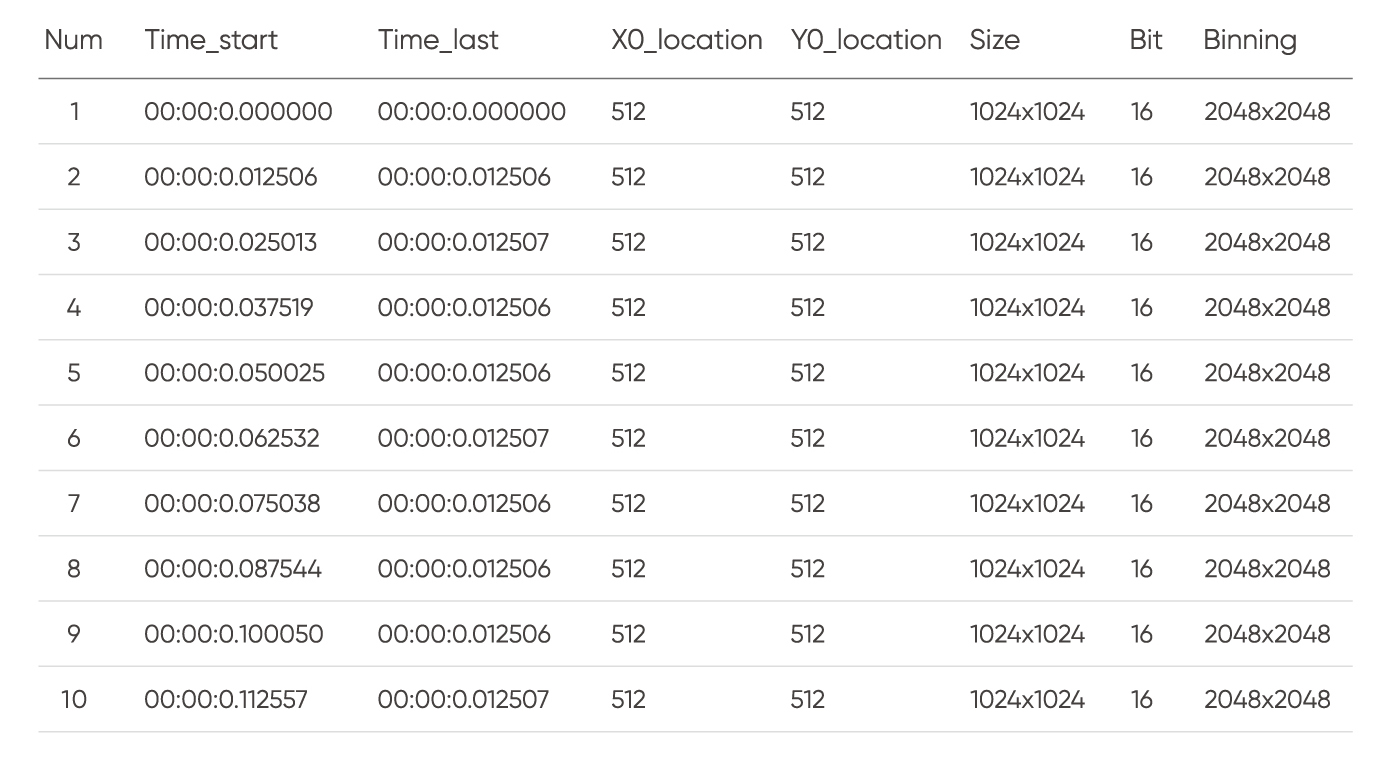
Tucsen Camera Example Files of Timestamp
02 | Software Timestamps vs. Hardware Timestamps
Software timestamps are generated after the PC receives the image data, while hardware timestamps are generated inside the camera at the exact exposure event.
The difference between the two can significantly affect time accuracy, synchronization reliability, and the integrity of dynamic measurements.
1. Software Timestamps
Software timestamps are produced by the PC-side driver or application once the image has already arrived on the host. They reflect data arrival time, not exposure time.
Advantages — Universal and Easy to Implement
• Independent of camera hardware design
• Works with all major interfaces (USB, GigE, CameraLink, etc.)
• Easy to generate from system time in software
• Well suited for rapid development, debugging, and logging
• Low integration cost and high compatibility
Limitations — Not Suitable for Precision Timing
Software timestamps are affected by the entire data transmission chain:
Camera → Interface (USB/GigE/CXP) → Host Driver → OS Scheduling → Application
Any delay, buffering, or CPU scheduling event can introduce ms-level nondeterministic error.
As the frame rate increases beyond ~50 fps, these variations grow rapidly and can severely undermine timestamp reliability.
Typical Use Cases (<30 fps Low-Speed Imaging)
|
Application Scenario |
Role of Software Timestamp |
Recommended Cameras
|
|
Biological Microscopy (routine fluorescence / tissue imaging) |
Data management, frame sorting, alignment in analysis software |
|
|
Industrial Microscopy (material inspection / metallography) |
Supports batch tracking, image traceability, and basic QC logging |
2. Hardware Timestamps
Hardware timestamps are generated inside the camera's FPGA or timing circuitry at the exact exposure start or end moment. They represent the true physical acquisition time, unaffected by transmission or OS latency.
Advantages — High Precision and Deterministic Timing
Hardware timestamps offer:
• Microsecond (µs) to sub-microsecond precision
• Zero dependence on data transmission timing
• Stable, repeatable, jitter-free outputs
• 1:1 correspondence with actual sensor exposure timing
This makes them essential for high-speed imaging, synchronized experiments, and time-critical measurements.
Limitations — Hardware and Design Dependent
Hardware timestamps require:
• Precision timing logic in FPGA/ASIC
• High-stability oscillators (TCXO/OCXO)
• Accurate exposure-drive timing and delay compensation
• Synchronized data-stream encoding
• Consistency with SDK/driver parsing formats
Because implementations vary across manufacturers, cross-system integration can require additional calibration or documentation review.
Development cost and complexity are higher than software timestamps.
Typical High-Speed Applications (>50 fps)
|
Applications |
How Hardware Timestamps Help |
Recommended Cameras |
|
Life Sciences (high-speed calcium or voltage imaging) |
Records true exposure times; synchronizes lasers via Trigger Out |
|
|
Physical Sciences (high-speed motion capture) |
Provides µs-level absolute timing for accurate trajectory reconstruction |
|
|
Semiconductor Inspection (wafer & panel inspection) |
Timestamp-based camera sync; enables encoder-based time–position mapping |
|
|
Instrument Integration (camera + laser + motorized stage) |
Serves as a system-wide absolute time reference; enables µs-level coordination |


