

 2026/10/14
In this article, you will learn why multi-camera systems need synchronization, how different triggering methods work, and how Tucsen uses blanking time to help prevent missed frames in Leader-Follower triggering.
Multi-camera imaging systems are used to cover a larger field of view, capture events from different angles, acquire multiple channels in parallel, or coordinate cameras with light sources and motion stages. In these systems, the cameras must capture images at the right time.
That is why triggering is essential. With Tucsen scientific cameras, multi-camera triggering can be implemented using Leader-Follower triggering, single-source triggering, or sequential triggering.
Why Do Multi-Camera Systems Need Synchronization?
Multi-camera systems need synchronization to ensure all cameras capture images at the same timing, enabling accurate image alignment and data correlation.
When cameras operate independently, differences in acquisition timing can cause image misalignment. One camera may capture before or after an event, or miss a trigger while processing the previous frame.
By using a shared timing reference, multi-camera synchronization ensures consistent image capture for applications such as multi-channel imaging, large field-of-view reconstruction, and event analysis.
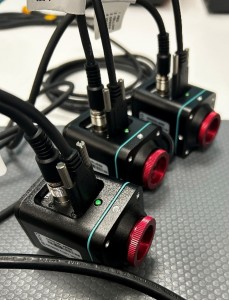
What Is the Key to Multi-Camera Synchronization?
The key to multi-camera synchronization is a shared timing reference that allows all cameras to capture images at the same moment.
Instead of each camera deciding when to acquire, one device—or one camera—provides the timing signal that tells the other cameras when to acquire. This signal is called a camera trigger.
A trigger can come from an external controller, such as a DAQ card or signal generator, or from another camera in the system. Hardware triggering is often used because it allows devices to communicate directly through dedicated trigger connections.

To understand how Trigger In and Trigger Out work, see our guide to trigger interfaces for scientific cameras.
Three Common Triggering Methods
1. Single-Source Triggering
An external device, such as a DAQ card, signal generator, or PLC, sends the same trigger signal to all cameras. Each camera receives the signal through its Trigger In port and begins acquisition according to its configured trigger mode.
Advantages: A central controller coordinates all cameras and can align them with other system hardware.Considerations: The system requires an external trigger source.
2. Leader-Follower Triggering
One camera acts as the timing leader. Its Trigger Out signal is connected to the Trigger In ports of the follower cameras. When the leader begins acquisition, it triggers the follower cameras to acquire as well.
Advantages: One camera can act as the clock for the system, reducing the need for a separate trigger generator.Considerations: Follower cameras must have enough time to respond to each trigger.
3. Sequential Triggering
Cameras are triggered one after another rather than simultaneously. This can be useful when cameras need to acquire in a defined order, manage data transfer, or work with illumination that must be directed to one camera at a time.
Advantages: Cameras acquire in a controlled sequence.Considerations: Cameras do not acquire at exactly the same moment.
Why Tucsen Supports Leader-Follower Triggering
Leader-Follower triggering is one of the simplest ways to synchronize multiple cameras. In this setup, one Tucsen camera acts as the timing leader, while its Trigger Out signal triggers the follower cameras through their Trigger In ports.
This allows one camera to act as the clock for the multi-camera system. Instead of connecting every camera directly to an external trigger generator, the leader camera provides the timing reference for the others.
Tucsen supports Leader-Follower triggering with multiple cameras, including systems that use cameras of the same model or different camera models.

How Tucsen Uses Blanking Time to Solve The Timing Challenge
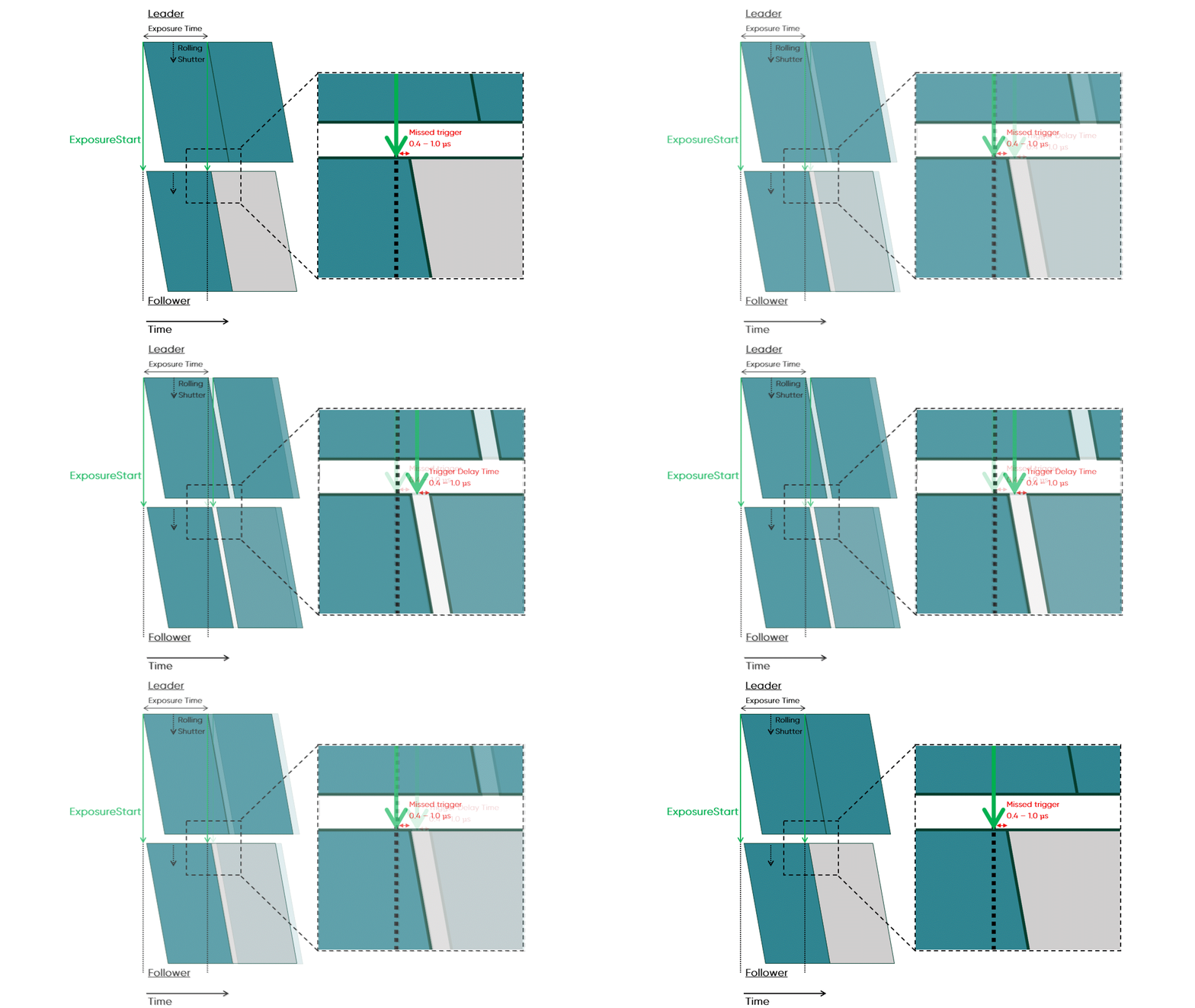
Tucsen uses blanking time to create a controlled timing margin between frames, allowing follower cameras to complete acquisition and respond to the next trigger reliably.
A common approach is to increase the leader camera’s exposure time to extend the interval between triggers, but this can affect imaging conditions and limit applications requiring short exposures or high frame rates.
With blanking time, users can add a short delay between frames without changing exposure settings. This helps prevent missed trigger pulses and reduces data loss or image distortion caused by dropped frames or timing differences.
Not Sure Which Method to Choose?
The right triggering method depends on your camera models, trigger hardware, imaging workflow, and timing requirements.
Tucsen has prepared a multi-camera triggering guide covering systems with up to four cameras, including Leader-Follower triggering, single-source triggering, and sequential triggering.
If you are unsure which method is right for your system, contact us to request the guide or speak with our engineering team.
Multi-Camera Imaging in Practice
At CNS 2026, Nikon demonstrated a customized Tucsen scientific camera integrated with a Nikon Ti Series inverted microscope and NIS-Elements. The demonstration showed how a Tucsen sCMOS camera can support real-time acquisition, parameter adjustment, and multidimensional imaging within an established microscopy workflow.
To learn more, read our article on Nikon microscope camera integration.
Interested in building a synchronized multi-camera system? Contact our team to request the multi-camera triggering guide.
FAQ
Why do multi-camera systems need triggering?
Triggering ensures that all cameras follow the same timing reference, helping them acquire images at the right time and making the resulting data easier to align.
What is Leader-Follower triggering?
Leader-Follower triggering is a method in which one camera acts as the timing leader. Its Trigger Out signal triggers the follower cameras to begin acquisition.
Why might a follower camera miss a trigger?
A follower camera may miss a trigger if it is still completing exposure or readout from its previous frame when the next trigger arrives.
What is blanking time?
Blanking time is a short timing margin between frames. It gives follower cameras time to become ready for the next trigger and helps prevent missed trigger pulses.
How can I get the Tucsen multi-camera triggering guide?
Contact Tucsen to request the guide or discuss your camera configuration with our engineering team. The guide covers multi-camera triggering using up to four cameras.


